
Everyone wants to improve their Shopify theme page speed and SEO for pages and images.
I give my app customers for Rapid Reviews and Image Sitemap the same advice over and over again.
Below is an updated brief of what to look for when trying to improve page speed, overall page health, and SEO for Google indexing (both pages and images).
Obviously an improvement in theme performance will help conversion over time, all things being equal, but conversion rate is not stable and can be seasonal. General performance and site health improvements can be measured immediately, we don’t have to wait for unreliable indicators.
Let’s consider Shopify theme performance across three dimensions:
- Code health
- Page speed
- Google indexing and SEO
Code health
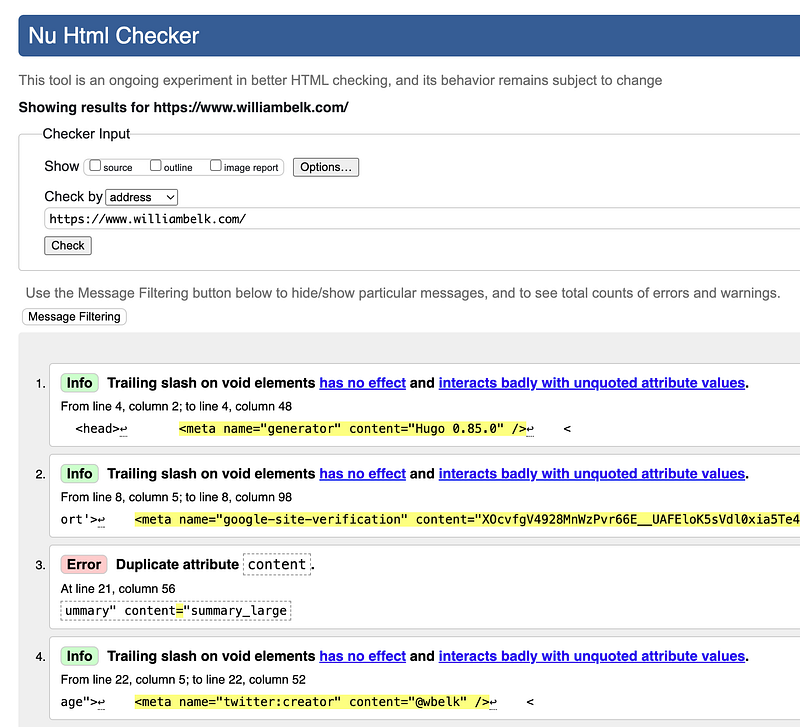
Valid HTML
Make sure the html and css on your pages is valid and compliant.
To start, Page Doctor is a great tool for understanding your code health—it has a W3C validator check built in.
However, I do suggest running the W3C validator independently and dedicating time to fixing the issues listed there.
Fixing these issues can sometimes be a bear. There may be some issues that cannot be solved with your theme, but do your best and work closely with your developer.
Fix page errors
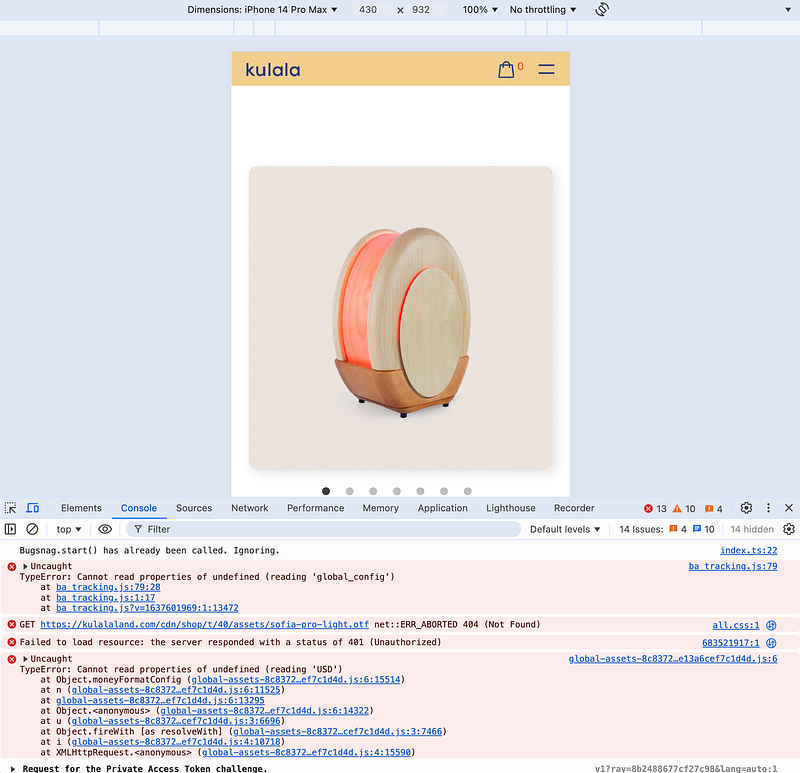
This is a simple thing that many shop owners overlook. If your page has javascript errors, fix them! Google scrapes your pages, and shows you if there are errors in Search Console (in the view tested page tab). All things being equal with two pages from two different domains — which page result do you think Google will serve first—the page with 20 javascript errors, or the page with zero javascript errors? It would be fair for Google to assume something is broken on the page with javascript errors.
Rich snippets (ld+json)
Make sure your rich snippets are valid using the rich snippets testing tool. Avoid any duplicate entries for products.
Shopify now has a liquid filter to add structured data to a page like {{ product | structured_data }} . You can find the docs for that here.
Page Speed
Measuring page speed
Use Page Doctor and Google PageSpeed Insights to evaluate your homepage and a product page.
Page Doctor provides a different and more practical view of your page quality than PageSpeed Insights.
Dig in to the numbers and recommendations in both tools. Work with your developer to understand the fine print and resolve any issues.
Audit third-party apps
You’re only as fast as your slowest app.
Overwhelmingly, apps from the Shopify app store are page speed killers. Popular apps like Rebuy, Gorgias, Zendesk, Klaviyo, Amped, Attentive, Yotpo, Stamped, Okendo, Fera, and Judgeme will all wreck your page speed.
Ask yourself, can I achieve a similar feature with a Shopify section blocks instead? If so, rip it out!
Can you compare different apps for performance characteristics?
For example, Rapid Reviews is the fastest full-featured product reviews app for Shopify. The competition is not even close. Compare it to any other app and you will see a huge difference.
Unfortunately, most app developers do not prioritize page speed like I do. In most cases you will be better off recreating features with Shopify section blocks if possible.
Remove unused third-party apps
Most of your apps are injecting scripts and css onto your pages without your knowledge. If you have any apps that are not in use, always delete those apps to be safe.
Remove blocking script tags
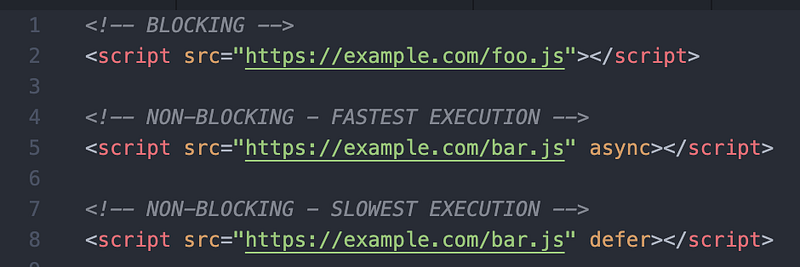
Blocking script tags are a page speed killer. “Blocking” means that everything stops while these scripts are loaded. A common blocking request would be the jQuery library.
Script tags should ideally use async or defer.
A note of caution, work with your developer on this. If other javascript in your theme is set up to depend on a script tag, you could break things by changing the loading attributes of a script tag (like changing to async, for example).
Remove javascript library dependencies
Many features in your theme will rely on a third-party code library. Common libraries have names like jQuery, lazysizes, swiper, and flickity.
Any time your code relies on a third-party library, that library’s code must be loaded before your features become active or rendered. This will slow down page rendering and functionality. This will negatively affect your Core Web Vitals numbers like INP, FCP, FID, and can have a negative effect on CLS as well.
Reduce CSS file requests
CSS files are usually loading using tags like <link rel="stylesheet" href="https://example.com/foo.css">. Loading CSS files takes considerable browser resources.
Generally speaking, we should assume that loading CSS files will be a render blocking task. This means that the browser will pause all rendering until the CSS contents are loaded into memory. This is harmful to page speed.
For additional consideration, do not use @import file reference inside of other css files, as this will cause a cascade of slower requests for those additional CSS resources.
Remove unused fonts and weights
Using custom fonts can slow down your pages considerably. The ideal number of external fonts to load is ZERO. There will almost always be a rendering change/delay between showing your system/browser fonts and then changing the fonts while rendering to the custom font. This is not ideal.
There are three primary methods for including custom fonts:
- Google fonts library
- Converting fonts to
wofffiles and loading via CSS using@font-facerules. - Third-party font libraries like Typekit
All three of these methods are harmful to page speed.
To minimize harm to page speed, load the fewest possible custom fonts, and only include the font weights that you are using.
Do not use fade-in animations
Generally speaking, do not use fade-in animations. They are usually devastating for page speed.
For a more advanced fade-in treatment that does not harm Web Vitals, see here.
Change your theme
Sometimes, your theme is junky and slow. A theme change might be your best way to improve page speed. My favorite Shopify theme right now for page speed improvement is Blum theme.
Google indexing and SEO performance
Better indexing by Google Search and Google Images is a function of three things:
- Site health
- Page speed improvement
- Site traffic and site rank/authority
- Relevant and helpful content
- Proper code on the page
Will always be limiting by site health. By health I mean general dusting, cleaning, and housekeeping. No code errors, valid ld+json snippets, no slow loading libraries, no html code errors, valid <img> tags, and so on.
Page speed improvement we’ve already covered. It will always help indexing (all things being equal between two pages — the faster page will receive higher rank).
Site traffic volume is variable and very important. Site rank/authority will be a function of all indexing variables over time.
Let’s looks a some important things to consider when optimizing for SEO.
Hidden content
You should assume that hidden content will not be indexed. For example, avoid placing our product reviews and important product descriptions behind a hidden tab.
Write content for new visitors
Never write content for yourself!
You look at your site every day. You’re bored with it. You know all the details. Never forget that.
Always write content for new visitors. Include all the details and descriptions that help a new person understand your offering.
Rich snippets (ld+json)
Make sure your rich snippets are valid using the rich snippets testing tool. Avoid any duplicate entries for products.
Shopify now has a liquid filter to add structured data to a page like {{ product | structured_data }} . You can find the docs for that here.
Image indexing
Make sure all of your images all have src= .
Make sure images that you want indexed are at least 600x600 pixels. Loading an important image at 130x130 pixels is not helpful for indexing.
Make sure alt= values are high quality.
Try to avoid background images, they will not be indexed as well.
Add srcset= and sizes=to your images. More on that here.
Use loading="lazy" attribute for images below the fold.
Remove any fade-in animations on images. These animations are usually very harmful for image indexing.
Remove any code libraries that must load before images are loaded. This is very common with fade-in animations and galleries.
That’s all for now. Get after it!